
Our own apps

Anticipate
Contraction Timer
A contraction timer for the middle of the night. It keeps the count, so you don't have to.
iPhone · Apple Watch · Android · Wear OS · Free
What it looks like
Fifteen seconds of it
Fifteen seconds of the app, with no narration — the music is two CC0 tracks. Nothing downloads until you press play.
About Anticipate
What's in it
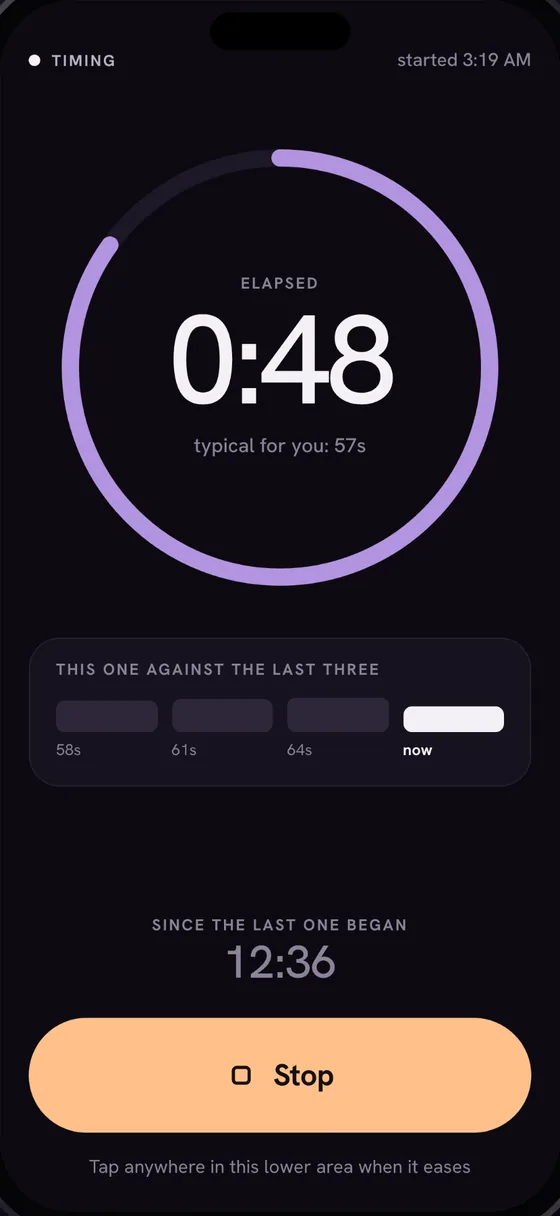
- One tap to start, one to stop. While a contraction is timing, the whole lower part of the screen is Stop.
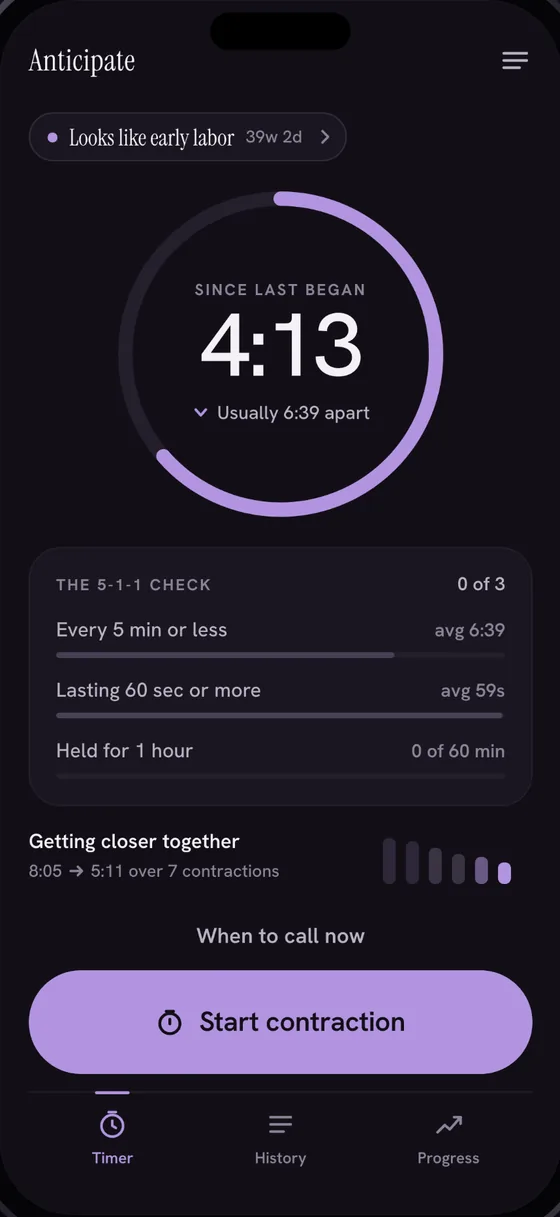
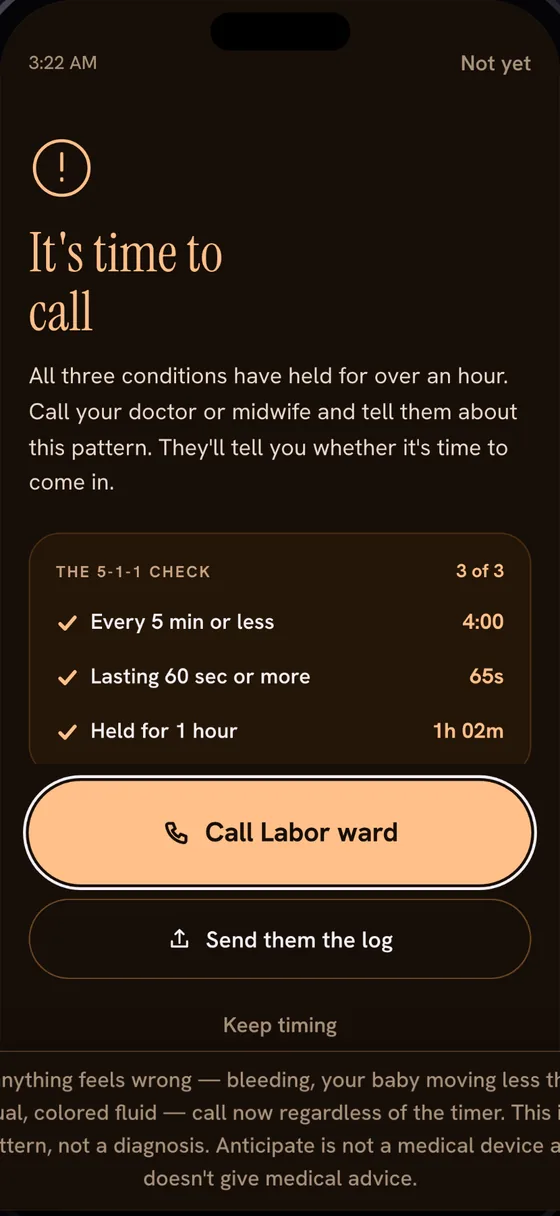
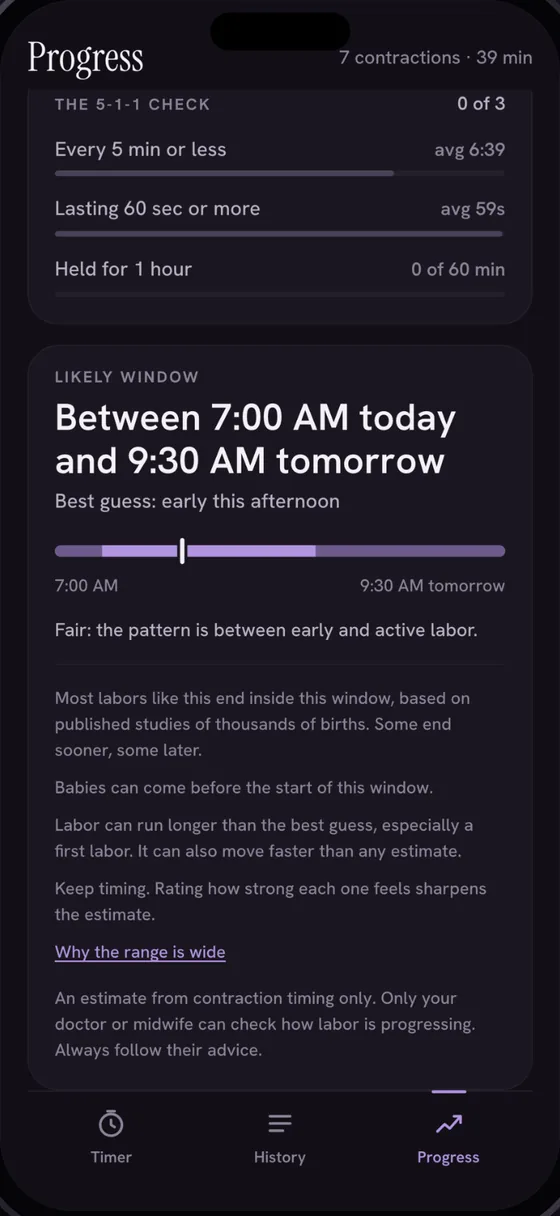
- The 5-1-1 check kept for you: contractions about five minutes apart or less, each about a minute or more, held for an hour.
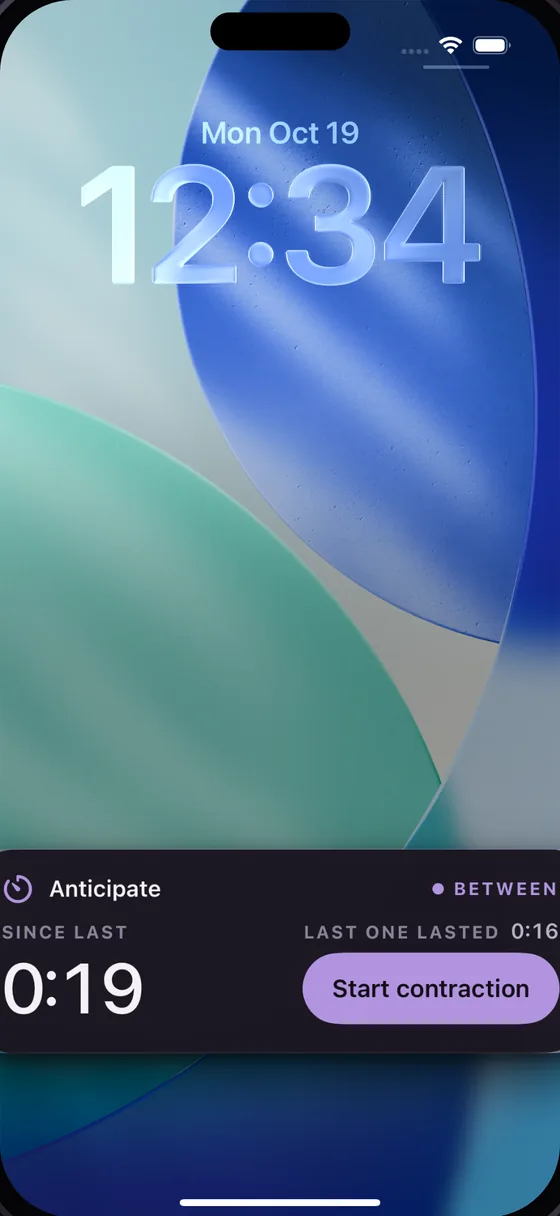
- A Live Activity on the iPhone Lock Screen, a notification card and an Android 16 status-bar chip on Android, and the same timer on Apple Watch and Wear OS.
- An honest estimate: which stage the pattern looks most like, and a window for the birth given as a range — never a single time — with what it cannot know set down beside it.
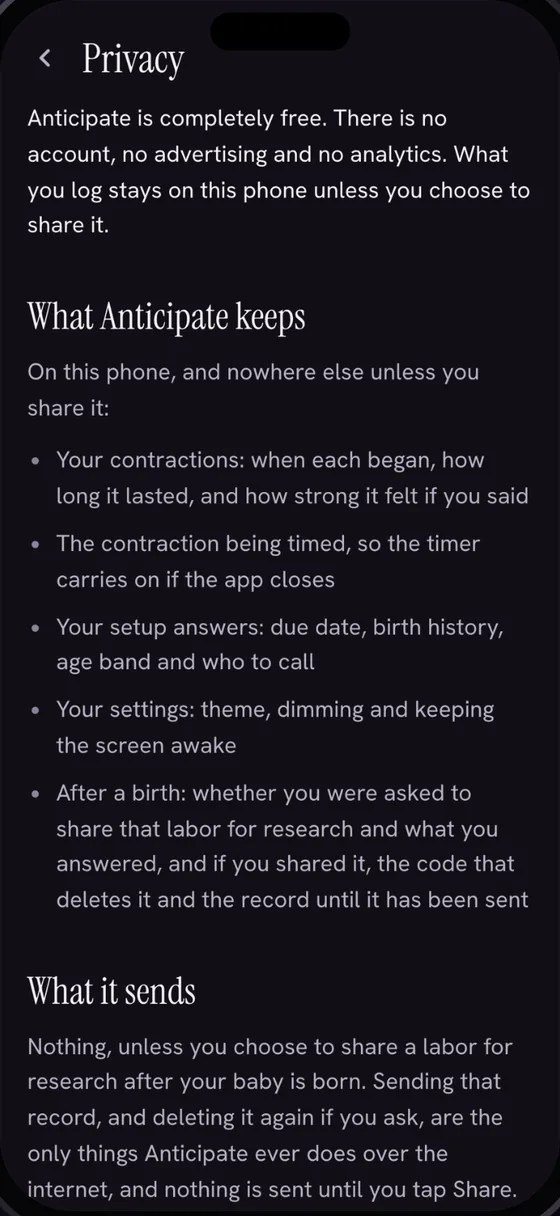
- Completely free: no ads, nothing to buy, no account, no analytics and no crash reporting.
- The log stays on the phone and out of backups. Share or export it when you choose, to whoever you choose.
What was hard about it
The timer has to keep running when the app is not. On iPhone that is a Live Activity on the Lock Screen and in the Dynamic Island; on Android it is a notification card, a status-bar chip on Android 16, and work that survives Doze and a force-stop. Both phones hand the same timer to a watch, and taps made on the wrist are held until the phone is back in range, so a contraction started on the watch and stopped on the phone is still one contraction.
The estimate is a statistical model over published studies of tens of thousands of births. The harder half was the writing: the screen that gives the window also gives its limits, because a number offered without its uncertainty is the wrong answer to this particular question.
Then the stores. A Health & Fitness listing that deliberately stays out of the Medical category, a data-safety form that has to agree with the policy on this site line by line, and an App Review round that asked us to show the app running before it would approve it.
Anticipate is not a medical device and does not diagnose, treat, cure, or prevent any medical condition. Always follow the advice of your doctor or midwife, and consult a healthcare professional for medical advice, diagnosis, or treatment. If anything feels wrong, such as bleeding, reduced movement or coloured fluid, call right away. Never wait to get help because of anything this app shows.